Features
Six features your team will use every day.
Every one built for wholesaling.
All six are part of REInvest OS. No add-ons, no extra logins, no per-seat pricing. Here is each one, as it looks in the app.

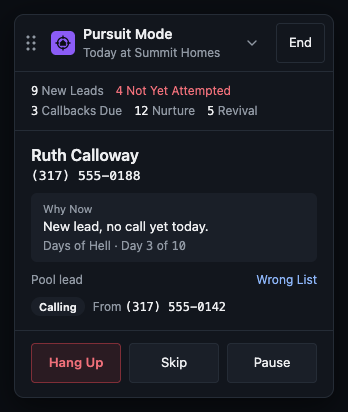
The dialer that decides who to call next.
Your rep presses one button and Pursuit Mode serves the next best seller, call after call. Every call comes with the reason it is next: a new lead not yet called, a callback that is due, a seller worth reviving. No lists to build, and no lead goes cold because someone forgot.

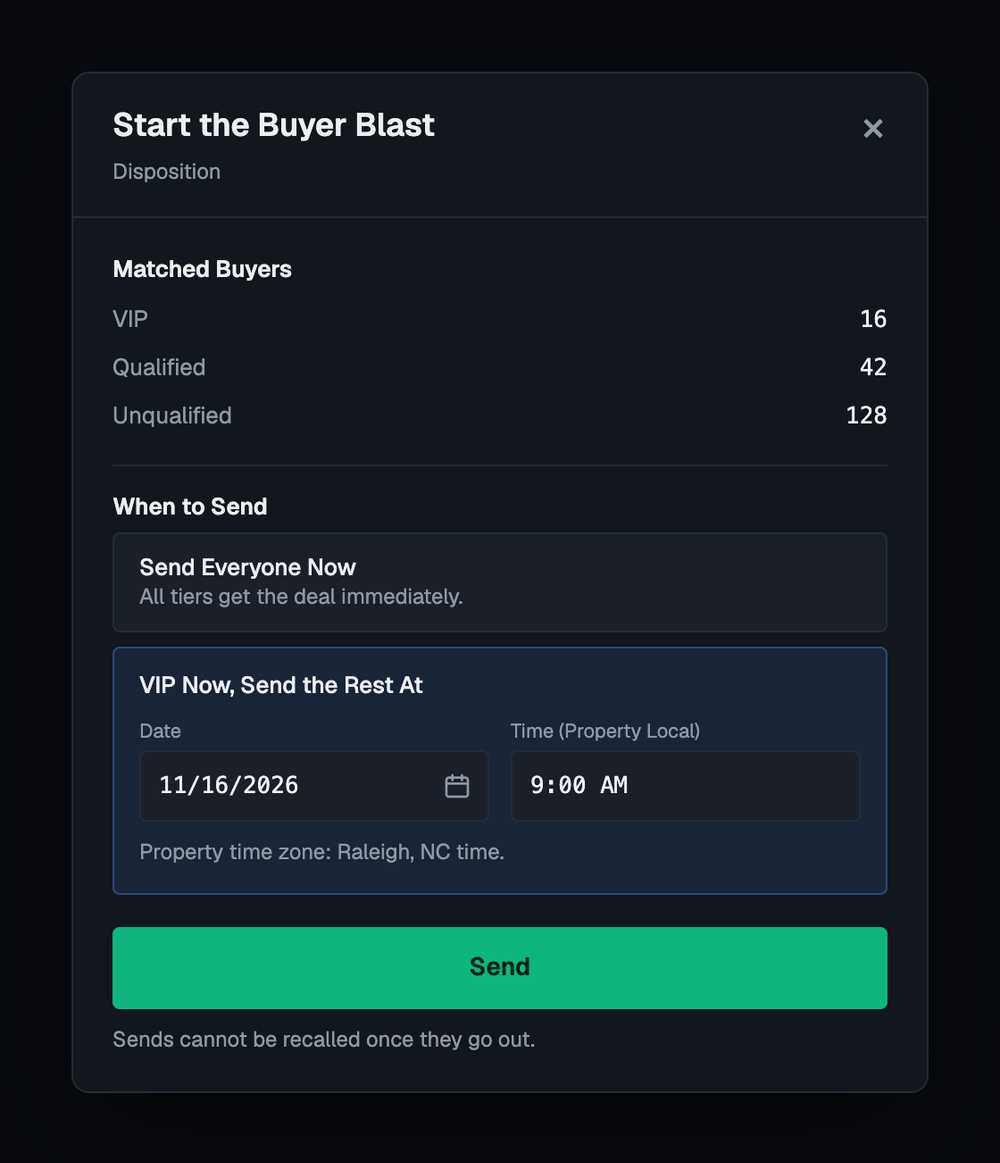
One click, every buyer whose box fits.
Your deal goes to every buyer whose buy box matches it, while the deal is still hot. You see how many buyers match before anything goes out, and you choose when it sends: everyone now, or your VIP buyers first and the rest later.

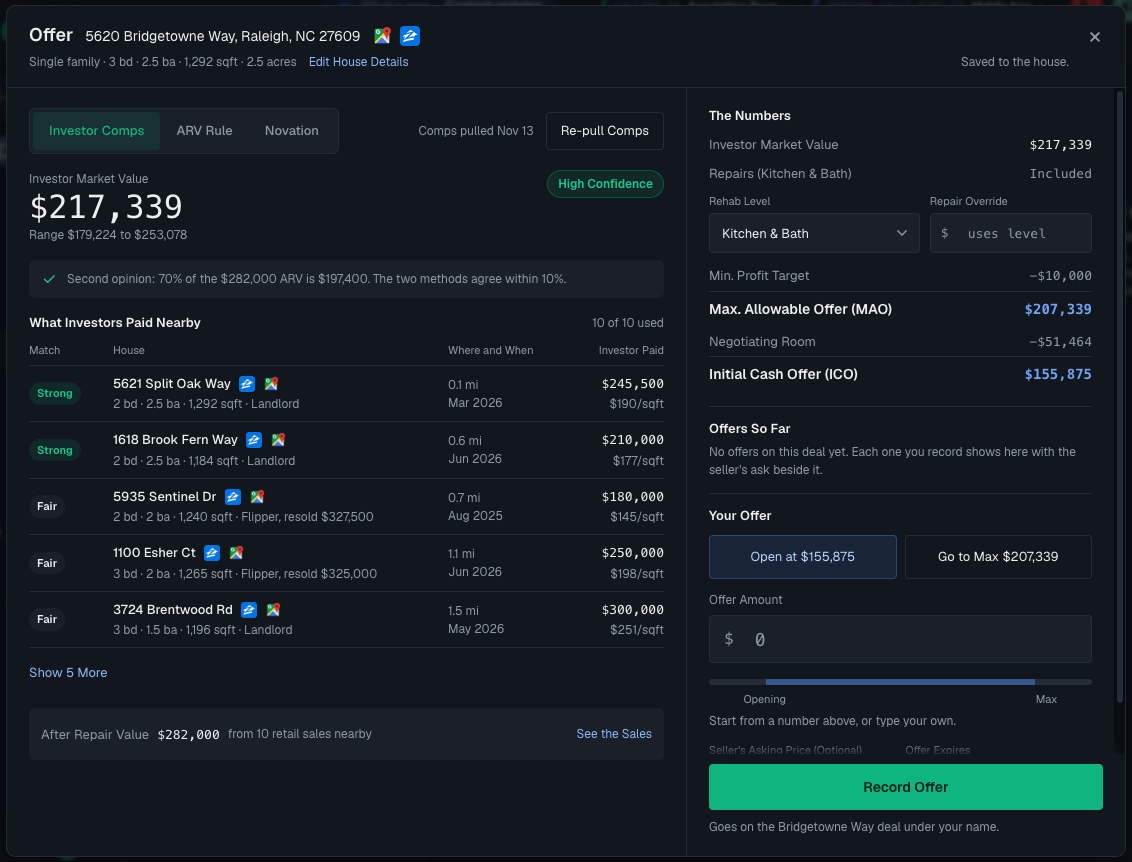
A fast, accurate offer every time.
Three ways to price the house sit side by side: what investors paid nearby, the ARV rule, and novation. Every comp is listed with its links. Your rep sees the most you can pay and where to open, then records the offer on the deal.

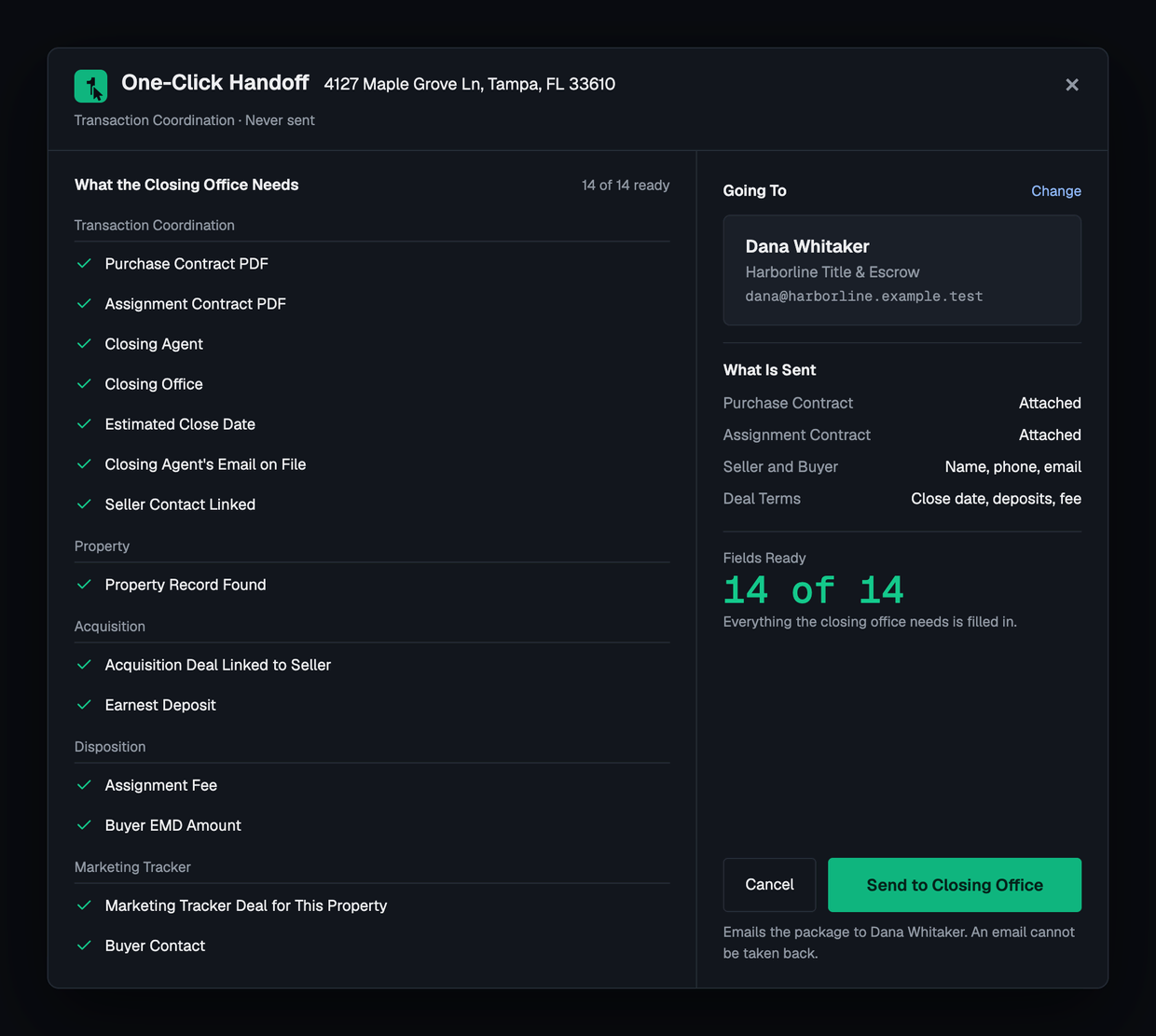
One click sends title the whole closing package.
A checklist shows everything the closing office needs and what is still missing. When every item is ready, one click emails both contracts, the seller and buyer details and the deal terms to your closing agent. Nothing is retyped, so nothing is retyped wrong.

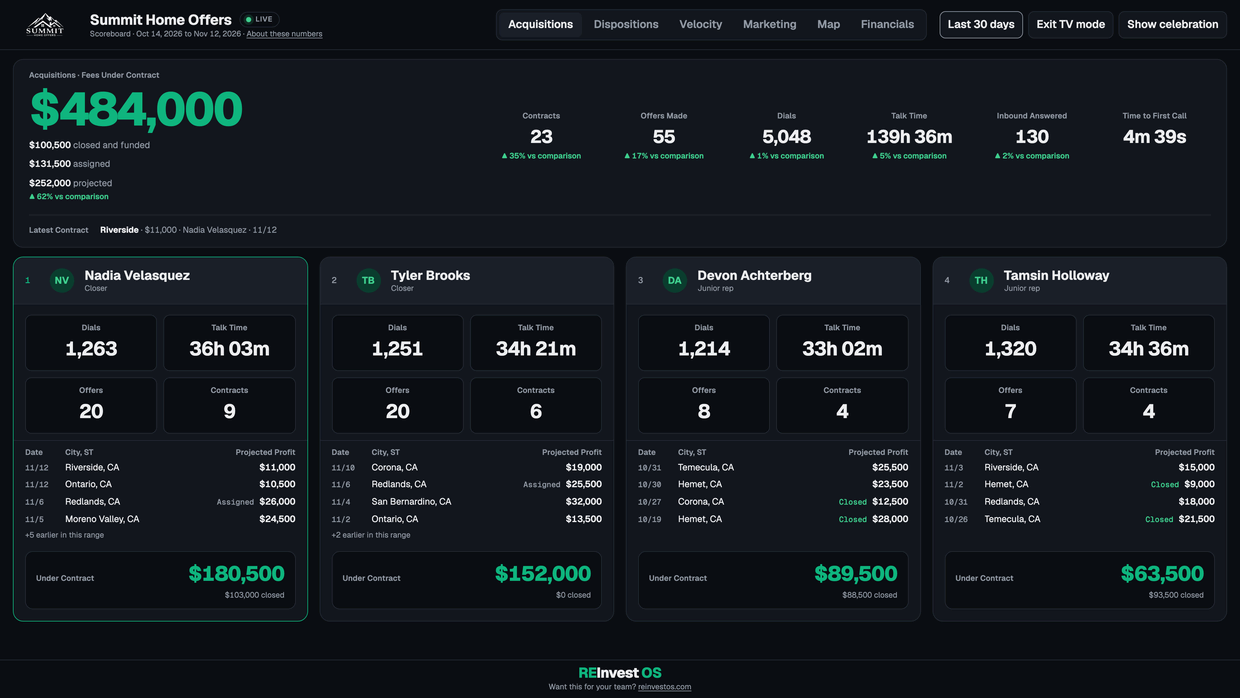
Know what your entire team did today.
Dials, talk time, offers, contracts and fees for every rep, filled in from the calls themselves. Put it on the office TV and it rotates between acquisitions and dispositions, and stops to celebrate every new contract.

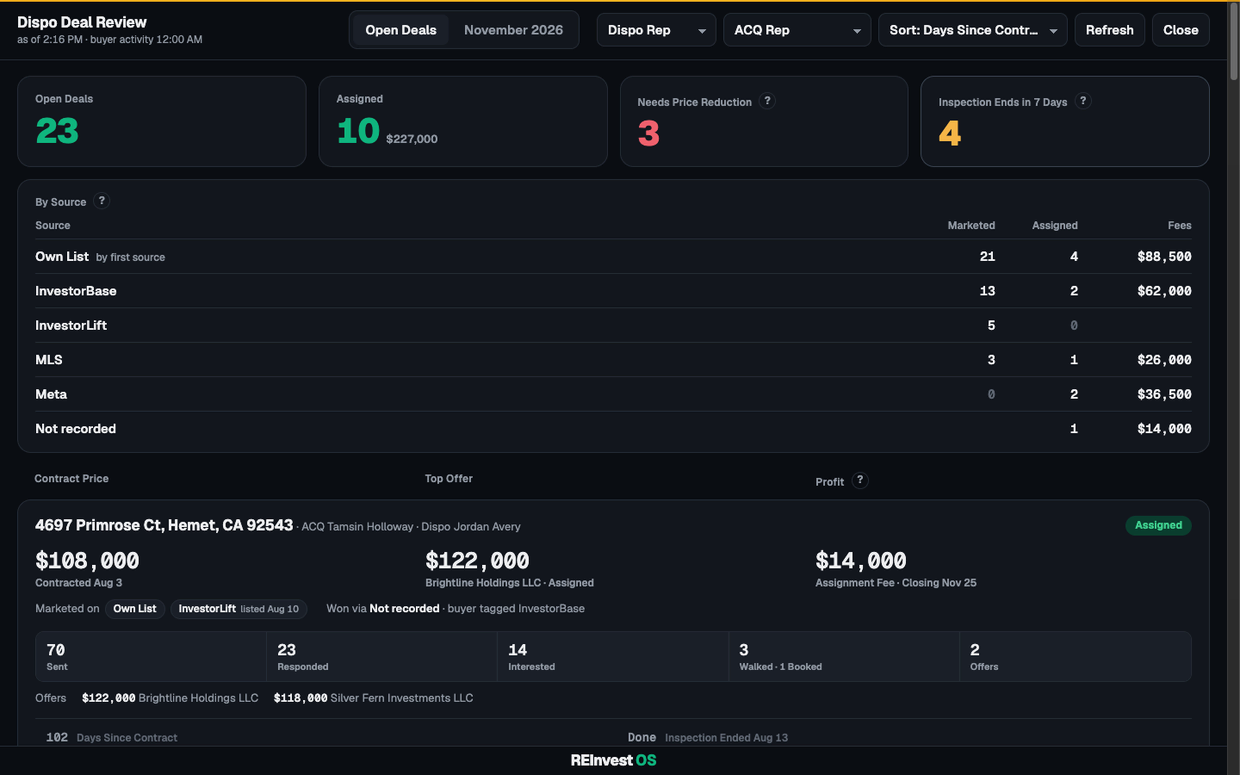
Every deal under contract on one screen.
For each deal: the contract price, the top offer and who made it, your fee, how many buyers got it, responded, walked it and offered, and the days left. It flags the deals that need a price reduction and the inspections about to end.
Don’t take our word for it.
Try it.
Put your own leads and your own deals on REInvest OS for 30 days. If it is not for you, you get your $997 and your first month back. Unconditional. After that it is month to month.
30-DAY UNCONDITIONAL MONEY-BACK GUARANTEE